
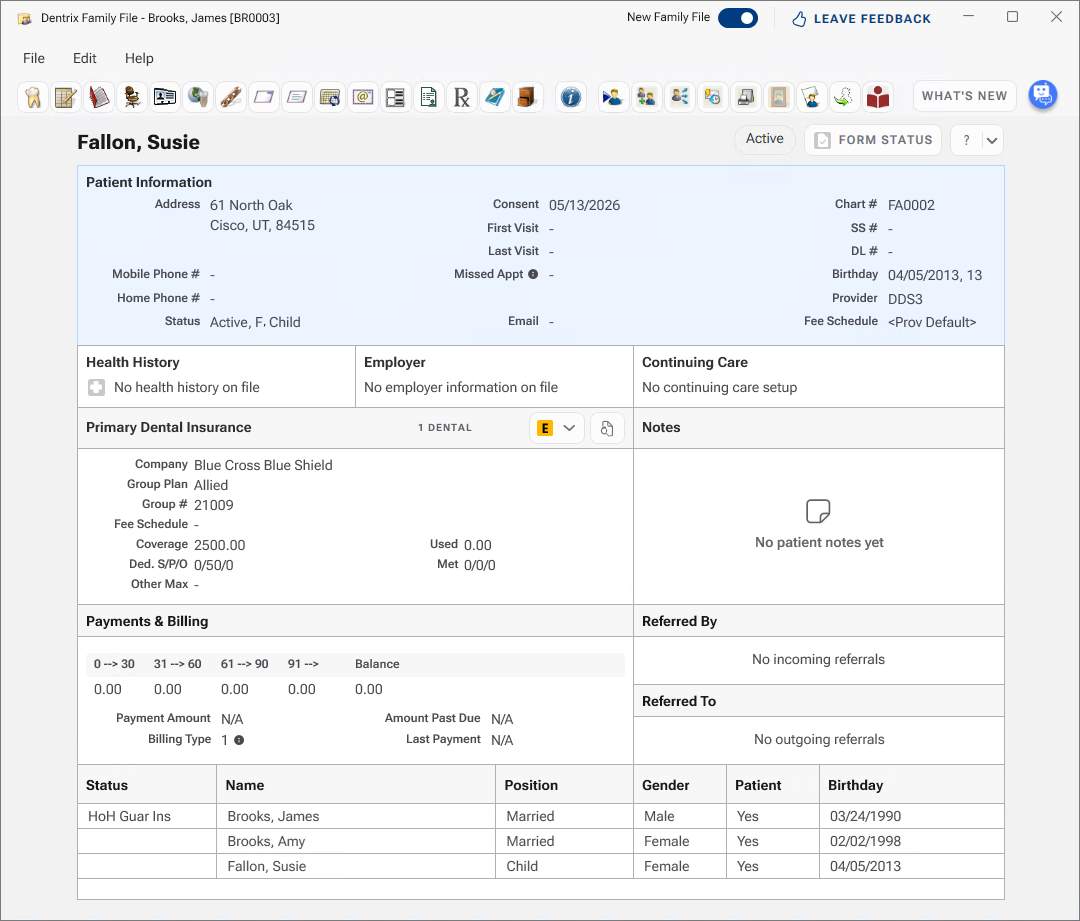
You can set up dual insurance coverage using the Family File. To best learn how this process works, it is easiest to work through an example and add the following family (which can later be deleted after this practice example is completed):
James Brooks (stepfather, primary insured, guarantor)
Amy Brooks (natural mother, insured under James only)
Susie Fallon (child, covered by James as primary, by Matt as secondary)
Matt Fallon (birth father, insures himself and is secondary for Susie)
To set up dual insurance where the stepfather is primary and the birth father is secondary
1. Add all family members (James, Amy, and Susie) to the account.
Note: If the birth parent is a patient, you can assign his or her insurance to the dependent in the Insurance Information dialog box. If the birth parent isn't a patient, add him or her as to the Dentrix database as a Non-Patient.
2. In James’s Family File, double-click the Insurance card and enter James’s insurance information.
3. Open Matt’s Family File. Double-click the Insurance card on Matt’s file and enter Matt’s insurance information.
Matt’s and James's insurance plans are now available to any family member listed in the Family Member list. Since James is primary for both Amy and Susie, his information needs to be added to their files.
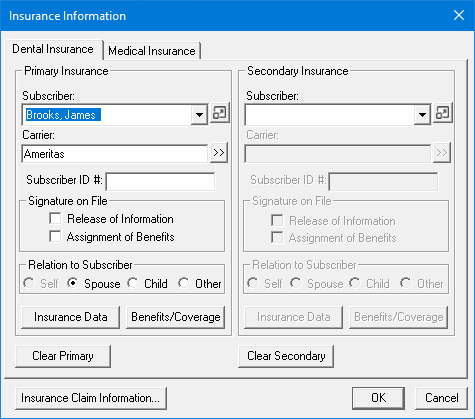
4. In the Family File window, double-click Amy’s name in the Family Member list to display her file. Double-click the Insurance card and assign James’s insurance as the primary insurance. The Subscriber field defaults to Amy’s name, but you can select James as the subscriber from the Subscriber list.
5. Click the Subscriber arrow, and select James Brooks.
Amy’s Insurance Information dialog box now displays James’s insurance information as her primary coverage.
6. Click OK to return to the Family File window.
To set up dual insurance for the child
Double-click Susie’s name in the Family Member list, and go through the same steps to add James’s insurance information as her primary coverage.
To add the secondary insurance
1. To add Susie's natural father’s insurance information as her secondary, under Secondary Insurance in the Insurance Information dialog box, click the Subscriber dropdown arrow and then click Assign dependent coverage outside family.
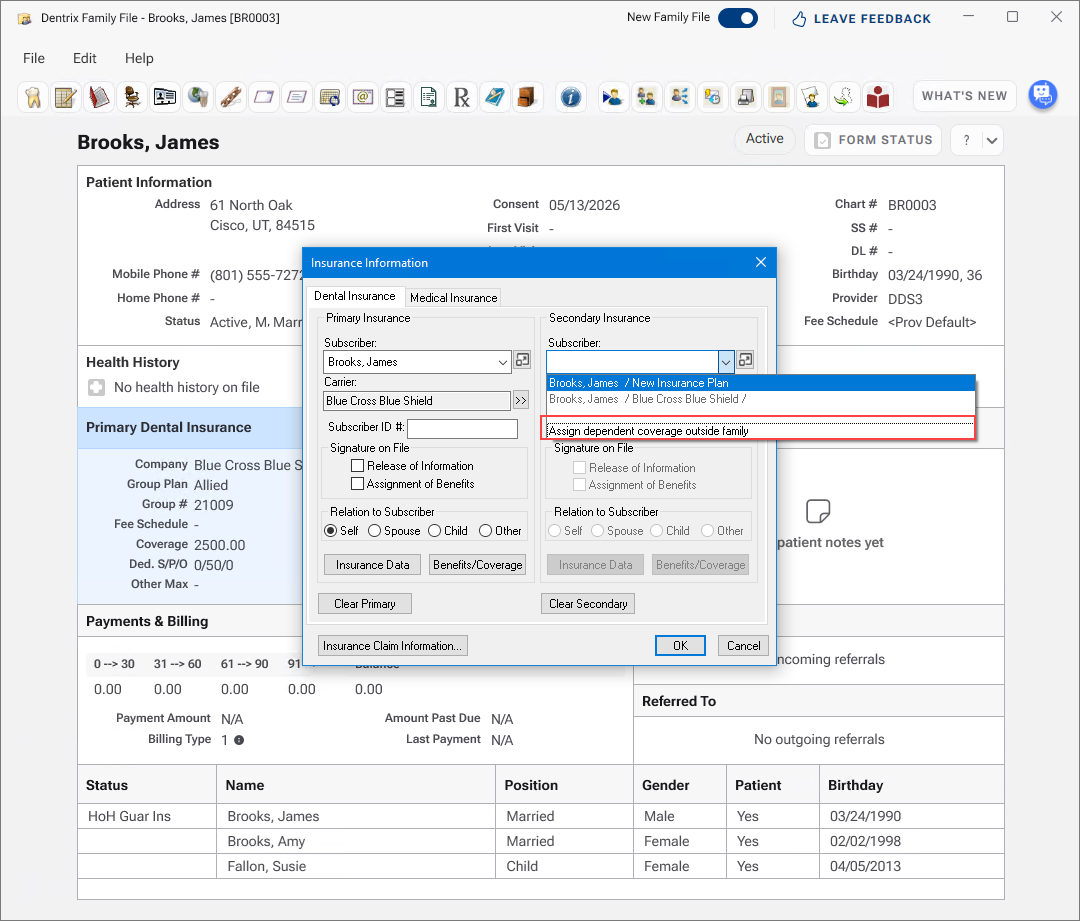
The Select Patient dialog box appears.
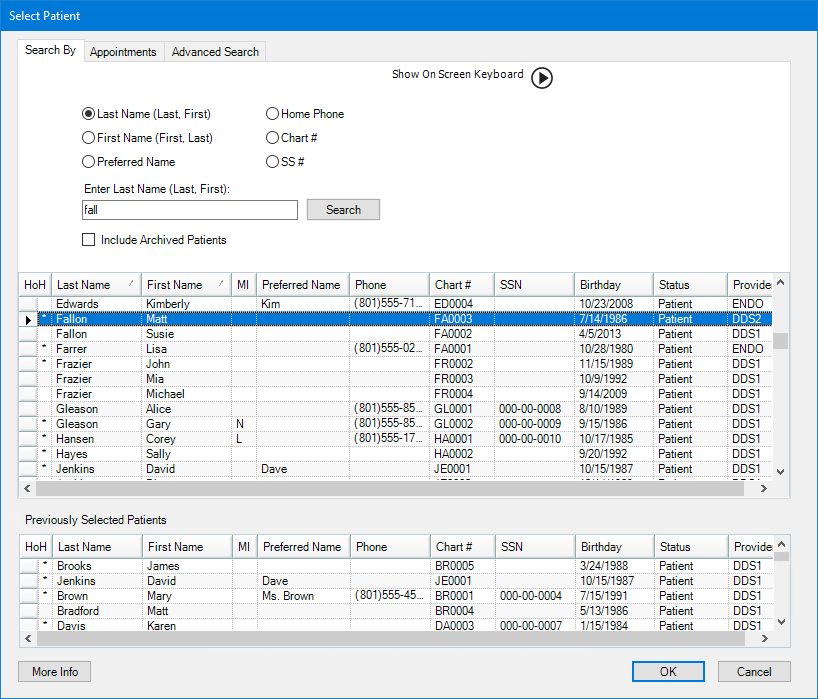
2. Select Matt Fallon, and then click OK.
The Choose one of the existing family plans dialog box appears.
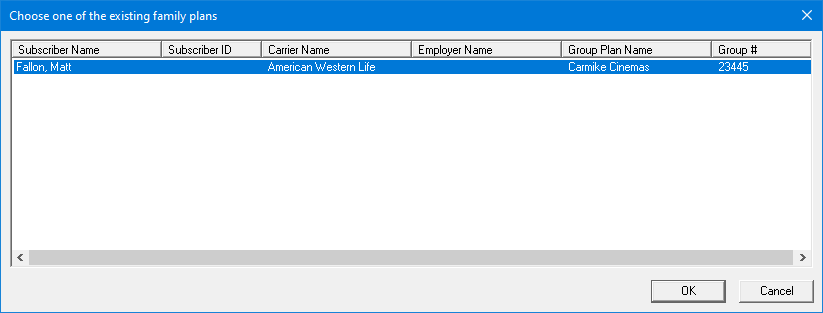
3. Select the appropriate plan, and then click OK.
The Insurance Information dialog box appears.
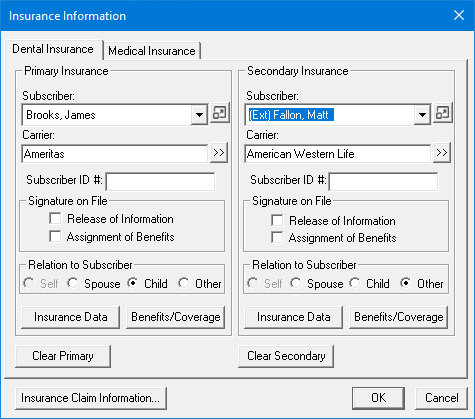
Note: (Ext) indicates that the subscriber is from outside the family.
4. Click OK.
Matt Fallon's insurance plan is assigned to Susie as her secondary insurance.